Snapchat keeps its interface minimal by design — no font picker, no theme customization, just your name and a bitmoji. That makes the few things you can personalize, like your display name, stand out even more. Snapchat stylish fonts let you do exactly that, using the same Unicode trick that works across every other app, and this guide covers how to use it well.
Because Snapchat’s whole design philosophy leans toward simplicity — disappearing content, minimal profile pages, no elaborate customization menus — a styled name reads as more deliberate here than it might on a visually busier platform. It’s one of the only ways to add personality to an interface that otherwise looks identical for everyone.
Table of Contents
- Why a Styled Name Stands Out on Snapchat
- How to Get Snapchat Stylish Fonts
- Best Styles for Your Snapchat Name
- Snapchat Character Limits to Know
- Styling Your Snapchat Bio Too
- Snapchat vs Other Platforms: What’s Different
- Things to Keep in Mind
- FAQ
Why a Styled Name Stands Out on Snapchat
Snapchat’s friend list and chat screen are almost entirely text-based — no elaborate profile pages, no bios front and center like Instagram. That makes your display name carry more weight than it does on most other platforms, since it’s often the only thing a friend sees before opening a chat or story. A styled name:
- Makes you instantly recognizable in a long friend list
- Adds personality to an otherwise plain, minimal interface
- Helps your Snap Score and story notifications stand out in a busy notification feed
- Gives close friends and group chats an easy visual cue to spot your messages quickly
- Signals a bit of personal style even though Snapchat doesn’t offer profile themes or colors
How to Get Snapchat Stylish Fonts
- Open the Cool Font Generator
- Type your name
- Browse the generated Snapchat stylish fonts — bold, cursive, aesthetic, and more
- Copy your favorite style
- Open Snapchat → tap your Bitmoji/profile icon → Settings (gear icon) → Name → paste and save
[Suggested image here — screenshot of a styled Snapchat display name. Alt text: “Snapchat stylish fonts applied to display name”]
Best Styles for Your Snapchat Name
Bold / Eye-Catching
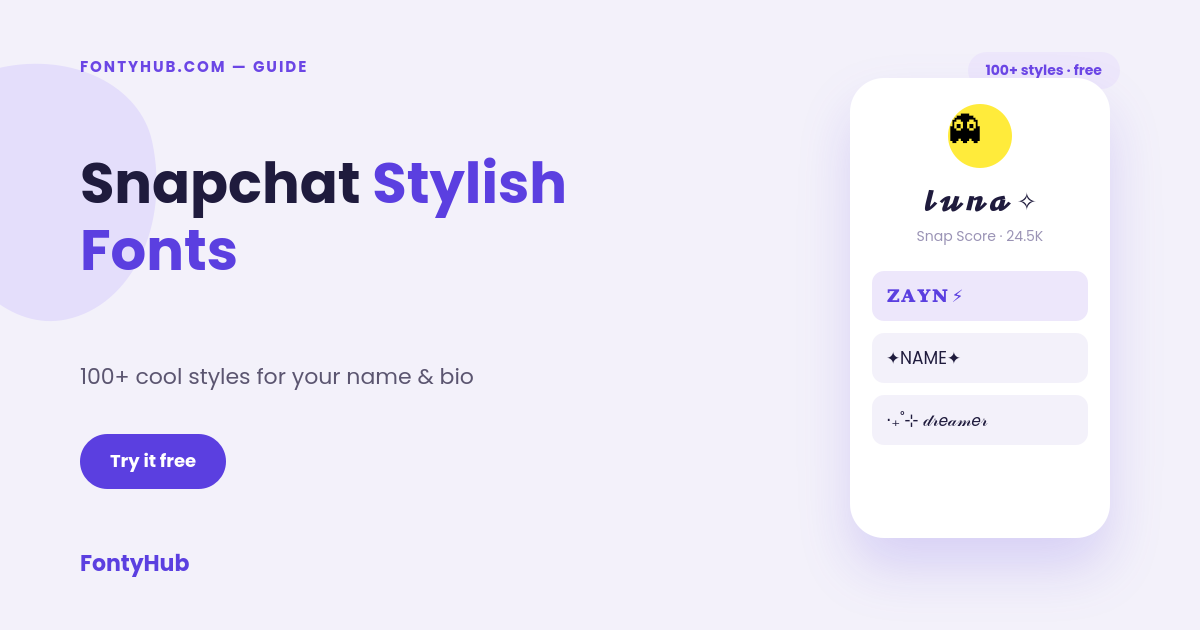
- 𝐙𝐀𝐘𝐍 ⚡
- 𝗠𝗔𝗬𝗔
Cursive / Soft
- 𝓵𝓾𝓷𝓪 ✧
- 𝒶𝓇𝒶𝓋 ❀
Symbol-Framed
- ✦NAME✦
- 【NAME】
Aesthetic / Minimal
- ‧₊˚⊹ 𝒹𝓇𝑒𝒶𝓂𝑒𝓇
- ᴎᴀᴍᴇ
These run on standard Unicode characters, so they display correctly whether your friends are on iPhone or Android.
Snapchat Character Limits to Know
Snapchat is stricter than some platforms about display name length — names are generally capped around 20-30 characters depending on the device. A couple of practical implications:
- Longer cursive or heavily symbol-framed styles may get cut off — test before finalizing
- Shorter, punchier styles (a bold single word, or a name plus one symbol) tend to work most reliably
- If a style looks cut off after saving, try a shorter variation or drop one of the framing symbols
Styling Your Snapchat Bio Too
Snapchat added a bio field to profiles a while back, and it accepts styled text the same way the display name does. A short styled bio line — a favorite emoji combo, a one-line personality note — pairs well with a styled name for a more complete, intentional-looking profile. Since the bio field is short, keep it to a single short phrase rather than a long styled sentence.
Snapchat vs Other Platforms: What’s Different
Compared to Instagram or TikTok, Snapchat handles names a little differently, and a few of these differences affect how you should approach styling:
- No public discovery search the same way — Snapchat friend requests mostly happen through usernames, QR codes (Snapcodes), or contacts, so a styled display name has less impact on discoverability than it might on Instagram, where people search by name constantly
- Names matter more in one-on-one chat than on a public profile page — since Snapchat doesn’t have a scrollable public profile grid like Instagram, the display name is doing more of the “first impression” work by itself
- Stories and Snap Map also show your styled name — meaning the effect extends beyond just chat, into anywhere your name appears across the app
Things to Keep in Mind
- Very decorative Unicode can occasionally render as small boxes (□) on older phones — preview before saving as a permanent name
- Snapchat’s minimal design means a styled name is more noticeable than on visually busier platforms — a subtle style often reads better than an extremely dense one
- If you use the same name across Snapchat, Instagram, and Discord, picking one consistent style helps friends recognize you across apps
- Since Snapchat leans casual and personal (mostly close friends rather than public followers), softer or playful styles often fit better here than aggressive, bold ones
FAQ
Do Snapchat stylish fonts work the same on Snapchat Web?
Yes, since they’re standard Unicode text, they display the same on the mobile app and Snapchat Web.
Is the Cool Font Generator free to use?
Yes, FontyHub’s Cool Font Generator is completely free with no signup required.
Will a stylish name cause any account issues on Snapchat?
No, styled Unicode names are treated as regular text and don’t violate Snapchat’s terms, as long as the name itself doesn’t contain offensive content.
Can I use stylish fonts in my Snapchat username, not just display name?
No — Snapchat’s actual username (used to add friends) only allows letters, numbers, periods, and underscores. Styling works on the display name field instead.
Can I use a stylish name for a Snapchat public profile or business account?
Yes, though for a business or public profile it’s usually better to keep the style simple and legible rather than heavily decorated, since clarity builds trust faster than a highly stylized look.
Ready to style your name? Try the Cool Font Generator now, or explore the 300+ Cool Font Styles Guide for more options.
Interested in contributing? Write for us and get featured on FontyHub with a dofollow backlink.