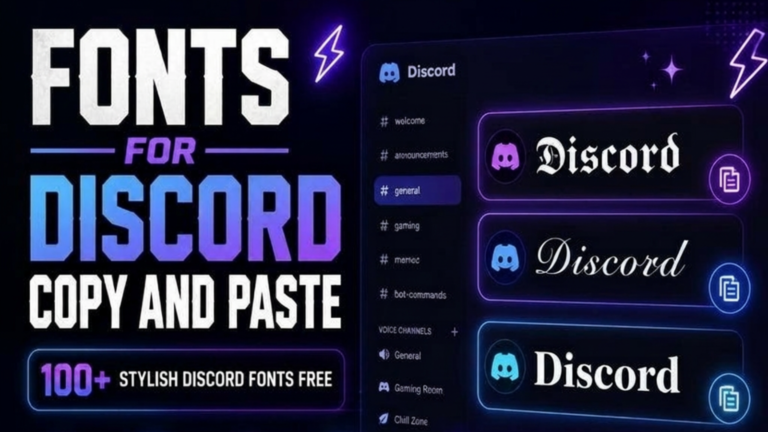
Cool Fonts for Discord Copy and Paste
Cool Fonts for Discord Copy and Paste are a fun and creative way to make your Discord profile stand out. Whether you want a stylish username, a unique server nickname, or eye-catching bio text, cool fonts helps you to create a memorable identity in just a few clicks.
Discord is one of the world’s most popular communication platforms for gamers, developers, students, creators, freelancers and online communities. Millions of people use it every day to chat, share ideas, and build communities. Because so many users have similar usernames, adding stylish fonts can help your profile look different and more professional.
With a Cool Font Generator, you can instantly convert normal text into stylish Unicode fonts that work on Discord. Simply type your text, copy your favorite font style, and paste it into your Discord profile.
Whether you are creating a gaming identity, managing a Discord server, or simply personalizing your account, stylish fonts are an easy way to make your profile more attractive.
Cool Fonts for Discord Copy and Paste are becoming increasingly popular among gamers, creators, and online communities. Whether you want a stylish Discord username, a creative server nickname, or a unique profile bio, these fonts can instantly improve your profile. With FontyHub, you can generate Cool Fonts for Discord Copy and Paste in seconds and use them on both desktop and mobile devices.
What Are Cool Fonts for Discord?
Cool Fonts for Discord are stylish text styles created using Unicode characters. They look different from normal letters but can usually be copied and pasted directly into Discord.
For example:
Normal Text
Discord
Cool Font Styles
- 𝓓𝓲𝓼𝓬𝓸𝓻𝓭
- 𝕯𝖎𝖘𝖈𝖔𝖗𝖉
- 𝐃𝐢𝐬𝐜𝐨𝐫𝐝
- 𝘋𝘪𝘴𝘤𝘰𝘳𝘥
- 🅳🅸🆂🅲🅾🆁🅳
- 𝔇𝔦𝔰𝔠𝔬𝔯𝔡
- 𝒟𝒾𝓈𝒸𝑜𝓇𝒹
These fonts help create unique usernames, bios, nicknames, and server names without installing any software.
Why Use Cool Fonts on Discord?
Discord is more than just a messaging platform. It is a place where people build communities, join gaming clans, and connect with others who share the same interests.
Using stylish fonts provides several benefits.
Make Your Username Unique
A creative username is easier to remember and helps your profile stand out in busy servers.
For example:
Normal
ShadowKing
Stylish
𝕾𝖍𝖆𝖉𝖔𝖜𝕶𝖎𝖓𝖌
Improve Your Profile Appearance
A stylish profile immediately looks more interesting than plain text.
Examples
✨ 𝓓𝓲𝓰𝓲𝓽𝓪𝓵 𝓒𝓻𝓮𝓪𝓽𝓸𝓻
🎮 𝕲𝖆𝖒𝖊𝖗
💻 𝐃𝐞𝐯𝐞𝐥𝐨𝐩𝐞𝐫
Perfect for Gaming Communities
Many Discord users play games like:
- Free Fire
- PUBG
- BGMI
- Valorant
- Minecraft
- Roblox
- Call of Duty
Stylish fonts make gaming nicknames look more professional.
Examples
⚔️ 𝕯𝖆𝖗𝖐𝕶𝖓𝖎𝖌𝖍𝖙
🔥 𝐅𝐢𝐫𝐞𝐁𝐨𝐲
🎯 𝓢𝓷𝓲𝓹𝓮𝓻
👑 𝕷𝖊𝖌𝖊𝖓𝖉
Best Cool Fonts for Discord Copy and Paste
Here are some popular font styles that work well on Discord.
Script Fonts
- 𝓓𝓲𝓼𝓬𝓸𝓻𝓭
- 𝓖𝓪𝓶𝓲𝓷𝓰
- 𝓕𝓸𝓷𝓽𝔂𝓗𝓾𝓫
Bold Fonts
- 𝐃𝐢𝐬𝐜𝐨𝐫𝐝
- 𝐆𝐚𝐦𝐢𝐧𝐠
- 𝐅𝐨𝐧𝐭𝐲𝐇𝐮𝐛
Gothic Fonts
- 𝕯𝖎𝖘𝖈𝖔𝖗𝖉
- 𝕲𝖆𝖒𝖎𝖓𝖌
- 𝕱𝖔𝖓𝖙𝖞𝕳𝖚𝖇
Bubble Fonts
- Ⓓⓘⓢⓒⓞⓡⓓ
- Ⓖⓐⓜⓘⓝⓖ
- ⒻⓞⓝⓣⓨⒽⓤⓑ
Square Fonts
- 🅳🅸🆂🅲🅾🆁🅳
- 🅶🅰🅼🅸🅽🅶
- 🅵🅾🅽🆃🆈🅷🆄🅱
How to Use Cool Fonts for Discord
Using stylish fonts is simple and only takes a few seconds.
Step 1
Visit the Cool Font Generator on FontyHub.
Step 2
Type your username, nickname, bio, or server name.
Step 3
Browse through the generated font styles.
Step 4
Click the Copy button.
Step 5
Open Discord and paste the copied font into your profile.
f you’re searching for the easiest way to create Cool Fonts for Discord Copy and Paste, FontyHub offers hundreds of stylish Unicode text styles. Simply enter your text, browse the generated fonts, copy your favorite style, and paste it into your Discord username, bio, or server name. The process is free, fast, and requires no registration.
Where Can You Use Stylish Discord Fonts
You can use cool fonts in several places on Discord.
✅ Username
✅ Nickname
✅ Bio
✅ About Me section
✅ Server Name
✅ Channel Name
✅ Community Branding
If you also want stylish text for Instagram, explore our Cool Fonts for Instagram Copy and Paste guide. You’ll find hundreds of creative font styles that work perfectly for Instagram bios, usernames, captions, and stories.
Discord Username Ideas
A unique Discord username helps you create a memorable identity. Below are some stylish examples you can copy and customize.
Gaming Usernames
- ⚔️ 𝕯𝖆𝖗𝖐𝕶𝖎𝖓𝖌
- 🔥 𝕱𝖎𝖗𝖊𝕷𝖊𝖌𝖊𝖓𝖉
- 👑 𝐒𝐡𝐚𝐝𝐨𝐰𝐗
- 🎯 𝓢𝓷𝓲𝓹𝓮𝓻𝓟𝓻𝓸
- 💀 𝕯𝖊𝖒𝖔𝖓
Aesthetic Usernames
- ✨ 𝓓𝓻𝓮𝓪𝓶𝓮𝓻
- 🌸 𝓜𝓸𝓸𝓷𝓛𝓲𝓰𝓱𝓽
- 💖 𝕻𝖆𝖘𝖙𝖊𝖑𝕾𝖙𝖆𝖗
- 🌙 𝐍𝐢𝐠𝐡𝐭𝐒𝐤𝐲
- ☁️ 𝘊𝘭𝘰𝘶𝘥𝘚𝘰𝘶𝘭
Professional Usernames
- 💻 𝐃𝐞𝐯𝐂𝐨𝐝𝐞𝐫
- 🚀 𝓓𝓲𝓰𝓲𝓽𝓪𝓵𝓟𝓻𝓸
- 📈 𝕾𝕰𝕺𝕰𝖝𝖕𝖊𝖗𝖙
- 🎨 𝐂𝐫𝐞𝐚𝐭𝐢𝐯𝐞𝐌𝐢𝐧𝐝
- 📱 𝓢𝓸𝓬𝓲𝓪𝓵𝓜𝓮𝓭𝓲𝓪
Benefits of Using Cool Fonts on Discord
Using stylish fonts isn’t just about appearance. They also help you create a stronger online identity.
Build a Unique Identity
A creative username makes it easier for people to recognize you in large communities.
Improve Personal Branding
If you’re a gamer, streamer, developer, or creator, stylish fonts can help make your profile more memorable.
Make Server Names Attractive
Discord server owners often use stylish fonts to make their communities look professional.
Quick and Free
With FontyHub, you don’t need to install any app. Generate, copy, and paste your favorite font instantly.
Common Mistakes to Avoid
Using Too Many Symbols
Avoid filling your username with excessive symbols because it becomes difficult to read.
❌ ꧁༒★✦✿Shadow✿✦★༒꧂
✅ 𝕾𝖍𝖆𝖉𝖔𝖜
Choosing Hard-to-Read Fonts
Always choose fonts that are stylish and readable.
Changing Fonts Too Often
Keeping the same style helps build a consistent identity across Discord communities.
If you’re looking for creative usernames beyond Discord, check out our Stylish Name Generator. It provides hundreds of unique name ideas for gaming, social media, and online communities.
Want stylish hashtags for your social media content? Visit our Hashtag Generator Tool to discover relevant hashtags that can improve your content visibility.
Frequently Asked Questions
Cool Fonts for Discord are Unicode-based text styles that allow you to create stylish usernames, nicknames, bios, and server names.
Yes. Most Unicode fonts work perfectly on Discord usernames, profiles, and bios.
Yes. FontyHub lets you generate and copy stylish Discord fonts for free.
Yes. These fonts work on Android, iPhone, tablets, and desktop devices.
Bold, Gothic, Script, and Square fonts are among the most popular because they are both attractive and easy to read.
Yes. Many community owners use stylish fonts to make their server names stand out.
Yes. Stylish fonts are widely used in Discord communities for Free Fire, PUBG, Valorant, Roblox, Minecraft, and many other games.
Conclusion
Cool Fonts for Discord Copy and Paste are a simple way to personalize your Discord profile and create a unique online identity. Whether you’re a gamer, creator, student, or community owner, stylish fonts help make your username, bio, and server names more attractive.
With FontyHub Cool Font Generator, you can instantly generate hundreds of stylish Unicode font styles, copy your favorite design, and paste it into Discord within seconds. Start exploring different font styles today and make your Discord profile stand out from the crowd.
If you want to learn more about customizing your Discord profile and account settings, visit the official Discord Help Center, where you’ll find guides for usernames, profiles, and account features.
Want a quick overview? Read our article on Medium for additional tips and examples.