Pacifico Font: Copy & Paste This Cursive Style Free (2026)
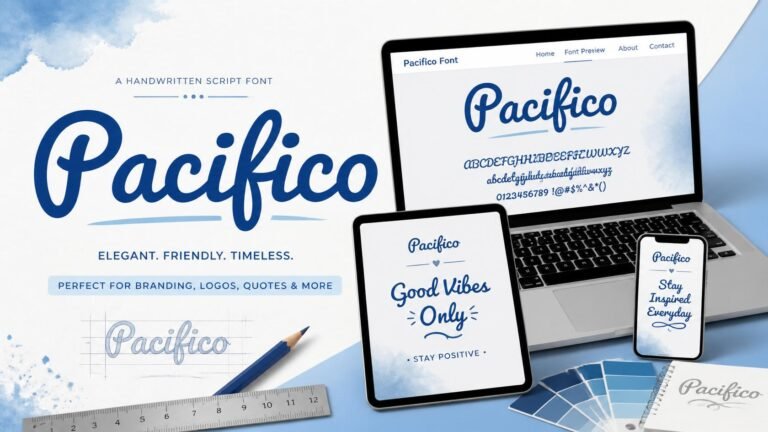
The Pacifico font is one of the most recognizable cursive typefaces online — a flowing, brush-script style originally designed for Google Fonts that’s since become a favorite for logos, social media bios, and casual branding. If you’re looking to use a Pacifico-style look without installing any font software, this guide shows you exactly how.
Table of Contents
- What Is the Pacifico Font?
- Why People Search for Pacifico Specifically
- How to Get a Pacifico-Style Look Without Installing Fonts
- Where the Pacifico Font Works Best
- Pacifico vs Other Cursive Styles
- Things to Keep in Mind
- FAQ
What Is the Pacifico Font?
Pacifico is a cursive, brush-script typeface released as a free and open-source font on Google Fonts. It was designed by Vernon Adams with a relaxed, hand-lettered feel — think surf shop signage or a casual handwritten note — which is part of why it became so popular for logos, headers, and branding that wants to feel approachable rather than formal.
Since its release, Pacifico has become one of the most widely used script fonts on the web, showing up in small business logos, Etsy shop headers, Pinterest quote graphics, and casual branding that wants a playful feel without looking overly formal.
As an actual font file, Pacifico is meant to be installed and used in design software (like Canva, Photoshop, or a website’s CSS) where custom fonts are supported. The challenge is that most everyday apps — Instagram, WhatsApp, TikTok, Discord — don’t let you install or apply a custom font file at all.
Why People Search for Pacifico Specifically
A lot of people searching “Pacifico font” aren’t looking to design a logo — they’ve seen the style somewhere (a bio, a sign, a Pinterest graphic, a friend’s profile) and want that same flowing cursive look for their own text, usually a social media bio or username. Since Pacifico can’t be applied inside apps like Instagram or WhatsApp, the practical workaround is a Unicode-based cursive style that visually resembles it closely enough for everyday use.
This search pattern is common across a lot of well-known font names — people remember what a style looked like far more easily than they remember its name, and once they do find the name, the next step is usually figuring out how to actually use it somewhere that doesn’t support custom fonts at all.
How to Get a Pacifico-Style Look Without Installing Fonts
- Open the Cool Font Generator
- Type your text
- Scroll to the Cursive style category — this is the closest match to Pacifico’s flowing, script-like look
- Copy the style you like
- Paste it directly into your Instagram bio, WhatsApp name, TikTok caption, or anywhere else that accepts text
Because this works through Unicode characters rather than an actual font file, it displays correctly on any device without needing Pacifico installed — which is exactly what makes it usable inside apps that don’t support custom fonts.
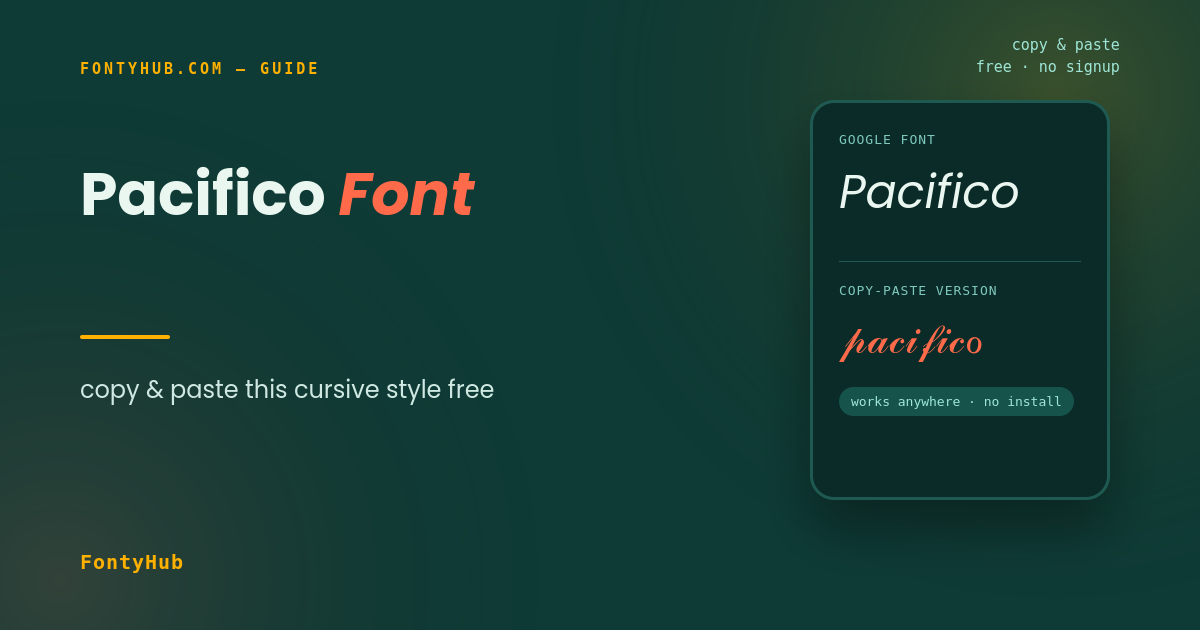
[Suggested image here — side-by-side of the Pacifico font vs a Unicode cursive style. Alt text: “Pacifico font style compared to cursive Unicode text”]
Where the Pacifico Font Works Best
- Instagram bios — a cursive, brush-script feel suits lifestyle, beauty, and personal brand accounts
- Logos and headers (using the actual font file, via design software) — Pacifico’s relaxed style works well for casual or handmade-feeling brands
- WhatsApp status/name — a soft cursive style for a personal touch
- Wedding or event graphics — the handwritten quality fits invitation-style designs
- Small business branding — bakeries, boutiques, and handmade shops often use Pacifico or similar scripts to signal a personal, non-corporate feel
- Pinterest and Canva graphics — quote cards and social templates frequently pair Pacifico with clean sans-serif body text for contrast
Pacifico vs Other Cursive Styles
Pacifico isn’t the only cursive option — a few others worth knowing about if you’re choosing between styles:
- Pacifico — thick, bold strokes with a casual, surf-culture feel
- Dancing Script — lighter, more traditional cursive with thinner strokes
- Great Vibes — a more formal, elegant script, often used for wedding invitations
- Sacramento — a delicate, single-line script with a vintage feel
If Pacifico’s bold, playful look isn’t quite what you’re after, browsing the full 300+ Cool Font Styles Guide shows the range of cursive and script-style options available to copy and paste.
Things to Keep in Mind
- If you need the actual Pacifico font file (for a logo, poster, or website), it’s freely available on Google Fonts and can be installed in design software — the Unicode workaround here is specifically for apps that don’t support custom fonts
- Very decorative cursive Unicode can be harder to read at small sizes, so test it in the actual field (bio, username) before finalizing
- Cursive styles pair well with a single accent symbol (✧, ❀) but can look cluttered with several
- If you’re designing something like a logo where the real font file matters (not just a copy-paste bio), stick with the actual Pacifico download rather than the Unicode version, since the Unicode style is an approximation, not a pixel-perfect match
FAQ
Is Pacifico a free font? Yes, Pacifico is a free, open-source font available on Google Fonts for design and web use.
Can I use Pacifico directly in my Instagram bio? Not the actual font file — Instagram doesn’t support custom font installation. The closest option is a Unicode cursive style that visually resembles Pacifico, which you can copy and paste directly.
What’s the difference between the real Pacifico font and the copy-paste version? The real Pacifico font is a design file used in software like Canva or a website’s code. The copy-paste version is Unicode text styled to look similar, which works instantly in any app without installation.
Is the Cool Font Generator free to use? Yes, FontyHub’s Cool Font Generator is completely free with no signup required.
Does the Unicode cursive style look exactly like Pacifico? It’s a close visual match in spirit — flowing and script-like — but not a pixel-identical copy, since it’s built from existing Unicode characters rather than Pacifico’s actual letterforms.
Want the closest copy-paste match to Pacifico? Try the Cool Font Generator now and browse the Cursive category for the full range of flowing script styles.