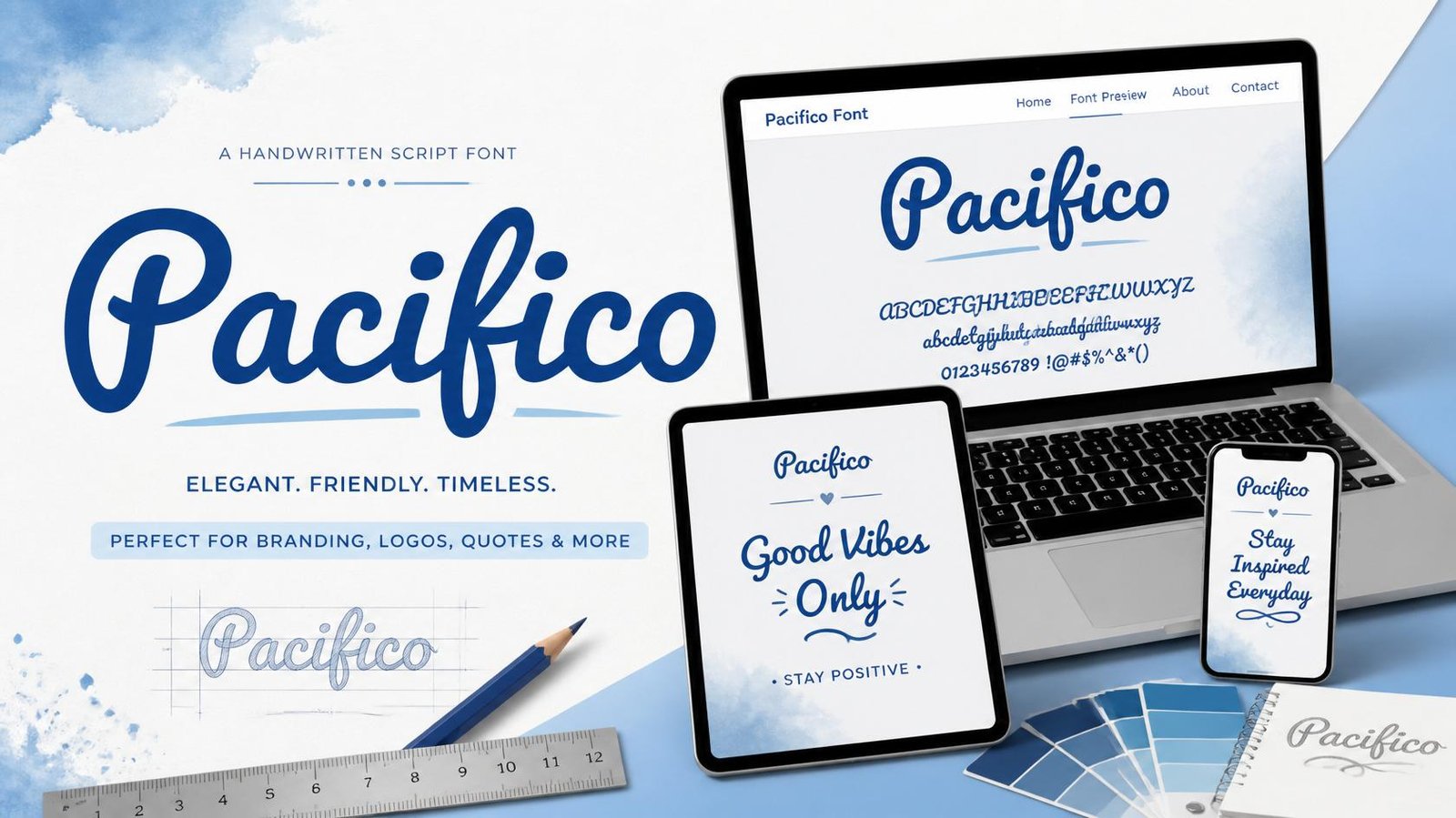
Typography plays a major role in creating attractive and memorable designs. Whether you’re designing a logo, a website, a social media graphic, or a greeting card, choosing the right font can completely change the look and feel of your project. Among the many free fonts available today, Pacifico Font has become one of the most popular handwritten fonts because of its friendly, stylish, and creative appearance.
Pacifico Font is available in the Google Fonts library and is loved by designers, bloggers, businesses, and content creators around the world. Its flowing handwritten style gives text a warm, personal, and welcoming look that works perfectly for many creative projects.
At FontyHub, you can instantly preview Pacifico Font before using it in your next design. Our font preview tool helps you compare different Google Fonts, making it easier to find the perfect typography for logos, branding, websites, invitations, posters, and social media graphics.
At FontyHub, you can instantly preview Pacifico Font before using it in your next design.
What is Pacifico Font?
Pacifico Font is a casual handwritten script font inspired by the relaxed surf culture of the 1950s. Unlike formal calligraphy fonts, Pacifico has rounded letters, smooth curves, and a playful personality that makes it both elegant and easy to read.
Because of its friendly appearance, Pacifico is widely used by small businesses, cafés, beauty brands, handmade product shops, YouTube creators, and bloggers. It creates a welcoming impression while still looking modern and professional.
One of the biggest advantages of Pacifico Font is that it is available through Google Fonts, making it free to use for both personal and commercial projects according to its license.
Pacifico is officially available in the Google Fonts library, where you can view its license and technical details.
Main Features of Pacifico Font
Pacifico Font offers several features that make it one of the best handwritten fonts available today.
- Beautiful handwritten script style
- Smooth and rounded letter shapes
- Excellent readability
- Free to use through Google Fonts
- Perfect for digital and print projects
- Works on desktop and mobile devices
- Suitable for branding and marketing materials
Its balanced design makes it a great option for beginners as well as professional designers.
Why Pacifico Font Is So Popular
Many fonts look beautiful but become difficult to read when used in logos or headings. Pacifico Font successfully combines style with readability, making it one of the most practical script fonts available.
Its soft curves and friendly appearance help brands create an emotional connection with their audience. This is why it is commonly seen on café logos, bakery branding, lifestyle blogs, fashion graphics, wedding invitations, and creative social media posts.
If you want a font that feels modern, cheerful, and welcoming, Pacifico Font is an excellent choice.
Best Uses of Pacifico Font
One of the biggest reasons Pacifico Font has remained popular for years is its versatility. While it is a handwritten script font, it can be used in many different creative projects. The font adds personality without making the text difficult to read.
Here are some of the best ways to use Pacifico Font:
1. Logo Design
Pacifico Font is an excellent choice for friendly and creative brands. Small businesses, cafés, bakeries, handmade product shops, beauty salons, and clothing brands often use this font to create memorable logos.
Its smooth curves create a welcoming and professional first impression.
2. Social Media Graphics
Whether you’re creating Instagram posts, Pinterest Pins, Facebook banners, or YouTube thumbnails, Pacifico Font can make headlines look more attractive.
It works especially well with pastel colors, soft gradients, and lifestyle branding.
3. Wedding Invitations
Because of its elegant handwritten appearance, Pacifico Font is commonly used on wedding invitations, greeting cards, thank-you cards, and event posters.
The font adds warmth and elegance without looking too formal.
4. Website Headings
Pacifico Font works beautifully for hero section headings, landing pages, and featured banners. However, it is best used for titles instead of long paragraphs.
For body text, use a clean font like Open Sans, Roboto, or Lato to improve readability.
5. Product Packaging
Many handmade brands use Pacifico Font on candles, soaps, chocolates, gift boxes, coffee packaging, and beauty products because it creates a premium handcrafted feel.
Pacifico Font Pairing Ideas
Choosing the right font combination makes your design look more professional.
Some excellent font pairings include:
• Pacifico + Open Sans
A modern combination that works well for websites and blogs.
• Pacifico + Roboto
Perfect for business branding and social media graphics.
• Pacifico + Montserrat
A stylish combination for logos and marketing materials.
• Pacifico + Lato
Great for presentations, brochures, and business cards.
• Pacifico + Poppins
One of the most popular combinations for websites and landing pages.
Using a script font for headings and a simple sans-serif font for body text creates the perfect visual balance.
You can explore more free fonts in the official Google Fonts collection.
Tips for Using Pacifico Font
To get the best results, keep these tips in mind:
- Use Pacifico mainly for headings and titles.
- Avoid writing long paragraphs in script fonts.
- Leave enough spacing around the text.
- Pair it with a simple font for better readability.
- Use high contrast between the font and background.
- Keep your design clean and uncluttered.
These simple practices help your typography look more professional.
Preview Pacifico Font on FontyHub
Instead of downloading multiple fonts and testing them manually, you can preview Pacifico Font instantly on FontyHub.
Simply type your text into the preview tool and see how it looks before using it in your logo, social media graphic, invitation, or website design.
You can also compare Pacifico with other Google Fonts available on FontyHub to find the perfect style for your project.
Simply type your text into the Font Preview Tool and compare different Google Fonts before making your final choice.
Pros and Cons of Pacifico Font
Like every font, Pacifico has strengths and limitations. Understanding both will help you use it more effectively.
Pros
- Free to use through Google Fonts.
- Beautiful handwritten style.
- Easy to read compared to many script fonts.
- Perfect for logos, branding, and social media graphics.
- Works well on websites and printed designs.
- Adds a friendly and creative personality to any project.
Cons
- Not suitable for long paragraphs.
- May not match formal business or legal documents.
- Works best when paired with a clean sans-serif font.
- Too much script text can reduce readability.
Who Should Use Pacifico Font?
This font is a great choice for:
- Graphic Designers
- Bloggers
- Small Business Owners
- Social Media Managers
- Etsy Sellers
- Wedding Designers
- Café and Bakery Brands
- Lifestyle and Beauty Businesses
- Creative Content Creators
If your goal is to create a warm, welcoming, and memorable design, Pacifico Font is an excellent option.
Want to use this font in your bio? Try our Bio Generator Tool.
Frequently Asked Questions
Yes. Pacifico Font is available through Google Fonts and is free to use according to its license.
Yes. Pacifico Font is a popular choice for logos, especially for creative brands, cafés, beauty businesses, handmade products, and lifestyle companies.
Yes, but it should mainly be used for headings, banners, and hero sections. For body text, use a simple font like Open Sans or Poppins.
Yes. You can preview Pacifico Font instantly on FontyHub before using it in your design.
Popular combinations include Poppins, Montserrat, Roboto, Lato, and Open Sans.
Final Thoughts
Pacifico Font remains one of the most popular handwritten Google Fonts because it combines creativity, readability, and versatility. Whether you’re designing a logo, creating social media graphics, building a website, or preparing marketing materials, Pacifico gives your designs a friendly and professional appearance.
Before choosing a font for your next project, preview Pacifico Font on FontyHub and compare it with other Google Fonts to find the perfect typography for your brand. Selecting the right font can make your design more memorable and help create a stronger visual identity.
Before choosing your next font, try the Font Preview Tool on FontyHub to compare different Google Fonts instantly.